" width="31.844343999969944px"><path d="M 0 31.84 L 0 0 L 31.84 0 L 31.84 31.84 Z" fill="transparent" height="31.8403px" id="bDMh1GdUQ" transform="translate(0.002 0)" width="31.8403px"/><path d="M 0 0 L 0 31.84 L 14.379 31.84 L 14.379 19.139 L 8.175 25.342 L 5.995 23.162 L 15.922 13.235 L 25.849 23.162 L 23.669 25.342 L 17.466 19.139 L 17.466 31.84 L 31.844 31.84 L 31.844 0 Z M 23.667 16.772 L 15.92 9.025 L 8.173 16.772 L 5.993 14.592 L 15.92 4.664 L 25.847 14.592 Z" fill="rgb(63, 91, 30)" height="31.84030625px" id="LkBC_qYlr" transform="translate(0 0.002)" width="31.844344px"/></g><path d="M 4.708 16.728 L 4.708 2.772 L 0 2.772 L 0 0 L 12.666 0 L 12.666 2.772 L 7.958 2.772 L 7.958 16.728 Z" fill="rgb(38, 45, 30)" height="16.72833px" id="gGM6jCh9B" transform="translate(117.426 7.593)" width="12.666000000000011px"/><path d="M 6.978 17.111 C 5.815 17.111 4.756 16.912 3.8 16.513 C 2.844 16.099 2.031 15.502 1.362 14.721 C 0.709 13.94 0.255 13 0 11.901 L 2.939 11.041 C 3.178 12.076 3.664 12.889 4.397 13.478 C 5.13 14.052 5.99 14.339 6.978 14.339 C 7.743 14.339 8.396 14.163 8.938 13.813 C 9.479 13.462 9.75 12.913 9.75 12.164 C 9.75 11.686 9.583 11.304 9.248 11.017 C 8.93 10.714 8.508 10.467 7.982 10.276 C 7.456 10.085 6.875 9.902 6.237 9.726 C 5.6 9.551 4.963 9.352 4.325 9.129 C 3.688 8.906 3.107 8.619 2.581 8.269 C 2.055 7.902 1.625 7.44 1.29 6.883 C 0.972 6.309 0.813 5.592 0.813 4.732 C 0.813 3.776 1.075 2.947 1.601 2.246 C 2.127 1.529 2.828 0.98 3.704 0.597 C 4.58 0.199 5.544 0 6.596 0 C 7.631 0 8.579 0.175 9.44 0.526 C 10.316 0.876 11.049 1.37 11.638 2.007 C 12.244 2.629 12.658 3.37 12.881 4.23 L 10.013 5.353 C 9.774 4.509 9.352 3.871 8.747 3.441 C 8.141 2.995 7.416 2.772 6.572 2.772 C 5.807 2.772 5.194 2.939 4.732 3.274 C 4.286 3.593 4.063 4.031 4.063 4.588 C 4.063 5.019 4.222 5.369 4.541 5.64 C 4.875 5.895 5.305 6.11 5.831 6.285 C 6.357 6.444 6.938 6.604 7.576 6.763 C 8.213 6.906 8.85 7.098 9.487 7.337 C 10.125 7.56 10.706 7.854 11.232 8.221 C 11.758 8.587 12.18 9.073 12.498 9.679 C 12.833 10.284 13 11.041 13 11.949 C 13 13.048 12.729 13.988 12.188 14.769 C 11.662 15.533 10.945 16.115 10.037 16.513 C 9.129 16.912 8.109 17.111 6.978 17.111 Z" fill="rgb(38, 45, 30)" height="17.11076px" id="W33rhMq3Y" transform="translate(102.662 7.402)" width="13px"/><path d="M 0 16.728 L 0 0 L 11.328 0 L 11.328 2.772 L 3.274 2.772 L 3.274 6.644 L 9.798 6.644 L 9.798 9.416 L 3.274 9.416 L 3.274 13.956 L 11.423 13.956 L 11.423 16.728 Z" fill="rgb(38, 45, 30)" height="16.72833px" id="LASbkhR29" transform="translate(89.162 7.593)" width="11.422699999999992px"/><path d="M 0 16.728 L 0 0 L 6.357 0 C 7.408 0 8.324 0.207 9.105 0.621 C 9.902 1.02 10.523 1.593 10.969 2.342 C 11.415 3.075 11.638 3.935 11.638 4.923 C 11.638 5.879 11.383 6.755 10.873 7.552 C 10.379 8.332 9.694 8.93 8.818 9.344 L 12.833 16.728 L 9.153 16.728 L 5.664 9.87 L 3.25 9.87 L 3.25 16.728 Z M 3.25 7.098 L 5.783 7.098 C 6.58 7.098 7.209 6.898 7.671 6.5 C 8.149 6.086 8.388 5.56 8.388 4.923 C 8.388 4.27 8.149 3.752 7.671 3.37 C 7.209 2.971 6.58 2.772 5.783 2.772 L 3.25 2.772 Z" fill="rgb(38, 45, 30)" height="16.72833px" id="DsldZOwJ8" transform="translate(73.861 7.593)" width="12.832999999999998px"/><path d="M 7.289 17.111 C 5.839 17.111 4.565 16.76 3.465 16.059 C 2.382 15.342 1.529 14.347 0.908 13.072 C 0.303 11.782 0 10.276 0 8.555 C 0 6.835 0.303 5.337 0.908 4.063 C 1.529 2.772 2.382 1.776 3.465 1.075 C 4.565 0.358 5.839 0 7.289 0 C 8.739 0 10.005 0.358 11.088 1.075 C 12.188 1.776 13.04 2.772 13.646 4.063 C 14.267 5.337 14.578 6.835 14.578 8.555 C 14.578 10.276 14.267 11.782 13.646 13.072 C 13.04 14.347 12.188 15.342 11.088 16.059 C 10.005 16.76 8.739 17.111 7.289 17.111 Z M 7.289 14.339 C 8.101 14.339 8.802 14.1 9.392 13.622 C 9.997 13.128 10.467 12.451 10.802 11.59 C 11.136 10.714 11.304 9.702 11.304 8.555 C 11.304 7.392 11.136 6.381 10.802 5.52 C 10.467 4.66 9.997 3.991 9.392 3.513 C 8.802 3.019 8.101 2.772 7.289 2.772 C 6.492 2.772 5.783 3.019 5.162 3.513 C 4.556 3.991 4.086 4.66 3.752 5.52 C 3.417 6.381 3.25 7.392 3.25 8.555 C 3.25 9.702 3.417 10.714 3.752 11.59 C 4.086 12.451 4.556 13.128 5.162 13.622 C 5.783 14.1 6.492 14.339 7.289 14.339 Z" fill="rgb(38, 45, 30)" height="17.11076px" id="ipX7BNsrY" transform="translate(56.609 7.402)" width="14.577600000000004px"/><path d="M 0 16.728 L 0 0 L 11.351 0 L 11.351 2.772 L 3.25 2.772 L 3.25 6.644 L 9.798 6.644 L 9.798 9.416 L 3.25 9.416 L 3.25 16.728 Z" fill="rgb(38, 45, 30)" height="16.72833px" id="T3zzexfqV" transform="translate(43.557 7.593)" width="11.351399999999998px"/></svg>)

Release
Feature
New in Forest, July 2026: choose what AI runs in your Workflows, and what stays deterministic.
Brice Banel
" transform="translate(1.749 1.749)" width="10.501px"/></g></svg>)
0 min read
TL;DR: Workflows get granular per-step control — you pick what stays deterministic and what you delegate to AI. Plus three execution modes, auto-Escalation, and a new Process Owner permission level.
Mid-summer round. Every change this month points to the same thing: granular per-step control over what stays deterministic and what you delegate to AI. And governance over who can even set it up.
Here's what we shipped in July.
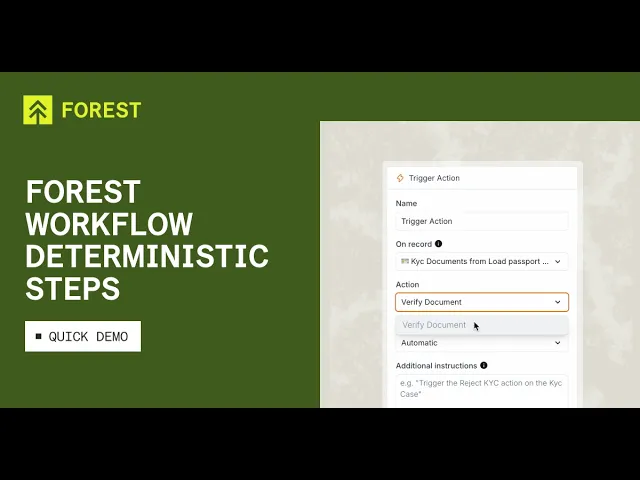
Deterministic Workflow steps (Load Related Record + Trigger Action)
The workflow author now declares intent, the runtime honors it. On a Load Related Record step, you pick the source record (workflow start, or any earlier loaded record), the collection to look into, and optional filters (with AND/OR conditions). Same on Trigger Action: pick the base record and the exact action to run. What you already know stays hard-coded — no AI interpretation at runtime. Get Data and Update steps ship in Part 2.
Manual / AI-assisted / Full AI execution modes
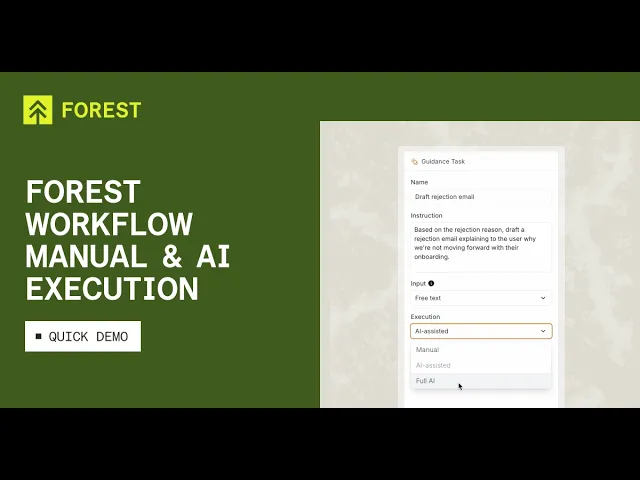
For the parts where AI helps, every execution step (Load Related Data, Guidance Task, Trigger Action with forms) now runs in one of three modes:
Manual — the operator does everything, same as before.
AI-assisted — AI drafts (email body, form fields, best-guess record pick), operator reviews and submits.
Full AI — AI decides, fills, and submits on its own.
If context is missing in Full AI mode, the step falls back to AI-assisted automatically — the operator sees pre-filled fields and confirms rather than the workflow stalling. Trigger Action without a form only has two modes (Manual / Automatic) because there's nothing to fill.
Escalation without a click
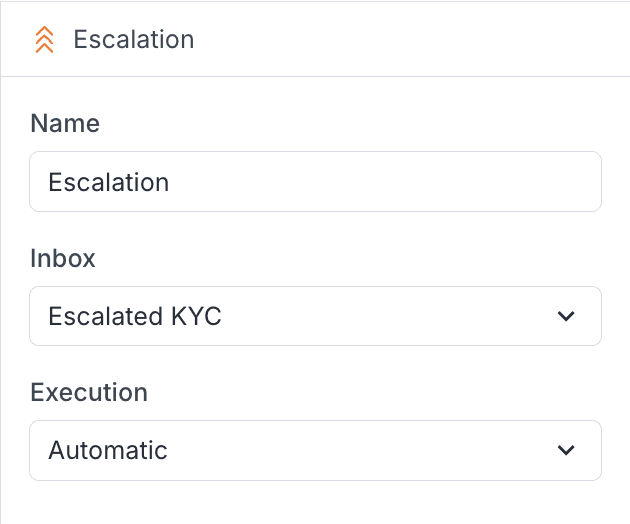
Escalation steps can auto-land in an Inbox instead of waiting for the operator to press Escalate. One more decision you can delegate instead of routing every escalation through an operator's click. External triggers (webhook, MCP) come next.
"Process Owner" permission level
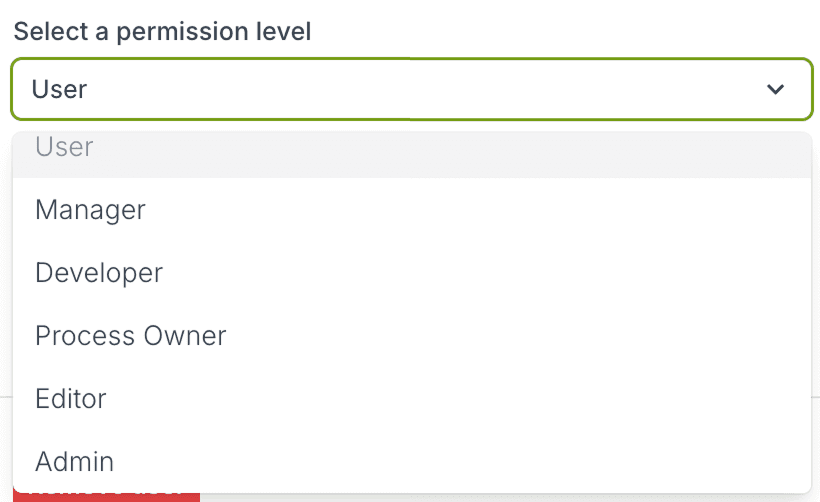
Workflows now sit behind their own permission level. Editors keep everything they had — layouts, Workspaces, Summary Views — but Workflow edits require the new Process Owner role. Workflows carry more runtime risk than a layout tweak, so they get their own gate. Assign the role in Settings → Permissions.
This is Forest's monthly product update. Reply to your CSM or ping us in Slack for anything you'd like to see next. The Forest MCP Server stays live for AI agents with permissions and audit trail preserved.