" width="31.844343999969944px"><path d="M 0 31.84 L 0 0 L 31.84 0 L 31.84 31.84 Z" fill="transparent" height="31.8403px" id="bDMh1GdUQ" transform="translate(0.002 0)" width="31.8403px"/><path d="M 0 0 L 0 31.84 L 14.379 31.84 L 14.379 19.139 L 8.175 25.342 L 5.995 23.162 L 15.922 13.235 L 25.849 23.162 L 23.669 25.342 L 17.466 19.139 L 17.466 31.84 L 31.844 31.84 L 31.844 0 Z M 23.667 16.772 L 15.92 9.025 L 8.173 16.772 L 5.993 14.592 L 15.92 4.664 L 25.847 14.592 Z" fill="rgb(63, 91, 30)" height="31.84030625px" id="LkBC_qYlr" transform="translate(0 0.002)" width="31.844344px"/></g><path d="M 4.708 16.728 L 4.708 2.772 L 0 2.772 L 0 0 L 12.666 0 L 12.666 2.772 L 7.958 2.772 L 7.958 16.728 Z" fill="rgb(38, 45, 30)" height="16.72833px" id="gGM6jCh9B" transform="translate(117.426 7.593)" width="12.666000000000011px"/><path d="M 6.978 17.111 C 5.815 17.111 4.756 16.912 3.8 16.513 C 2.844 16.099 2.031 15.502 1.362 14.721 C 0.709 13.94 0.255 13 0 11.901 L 2.939 11.041 C 3.178 12.076 3.664 12.889 4.397 13.478 C 5.13 14.052 5.99 14.339 6.978 14.339 C 7.743 14.339 8.396 14.163 8.938 13.813 C 9.479 13.462 9.75 12.913 9.75 12.164 C 9.75 11.686 9.583 11.304 9.248 11.017 C 8.93 10.714 8.508 10.467 7.982 10.276 C 7.456 10.085 6.875 9.902 6.237 9.726 C 5.6 9.551 4.963 9.352 4.325 9.129 C 3.688 8.906 3.107 8.619 2.581 8.269 C 2.055 7.902 1.625 7.44 1.29 6.883 C 0.972 6.309 0.813 5.592 0.813 4.732 C 0.813 3.776 1.075 2.947 1.601 2.246 C 2.127 1.529 2.828 0.98 3.704 0.597 C 4.58 0.199 5.544 0 6.596 0 C 7.631 0 8.579 0.175 9.44 0.526 C 10.316 0.876 11.049 1.37 11.638 2.007 C 12.244 2.629 12.658 3.37 12.881 4.23 L 10.013 5.353 C 9.774 4.509 9.352 3.871 8.747 3.441 C 8.141 2.995 7.416 2.772 6.572 2.772 C 5.807 2.772 5.194 2.939 4.732 3.274 C 4.286 3.593 4.063 4.031 4.063 4.588 C 4.063 5.019 4.222 5.369 4.541 5.64 C 4.875 5.895 5.305 6.11 5.831 6.285 C 6.357 6.444 6.938 6.604 7.576 6.763 C 8.213 6.906 8.85 7.098 9.487 7.337 C 10.125 7.56 10.706 7.854 11.232 8.221 C 11.758 8.587 12.18 9.073 12.498 9.679 C 12.833 10.284 13 11.041 13 11.949 C 13 13.048 12.729 13.988 12.188 14.769 C 11.662 15.533 10.945 16.115 10.037 16.513 C 9.129 16.912 8.109 17.111 6.978 17.111 Z" fill="rgb(38, 45, 30)" height="17.11076px" id="W33rhMq3Y" transform="translate(102.662 7.402)" width="13px"/><path d="M 0 16.728 L 0 0 L 11.328 0 L 11.328 2.772 L 3.274 2.772 L 3.274 6.644 L 9.798 6.644 L 9.798 9.416 L 3.274 9.416 L 3.274 13.956 L 11.423 13.956 L 11.423 16.728 Z" fill="rgb(38, 45, 30)" height="16.72833px" id="LASbkhR29" transform="translate(89.162 7.593)" width="11.422699999999992px"/><path d="M 0 16.728 L 0 0 L 6.357 0 C 7.408 0 8.324 0.207 9.105 0.621 C 9.902 1.02 10.523 1.593 10.969 2.342 C 11.415 3.075 11.638 3.935 11.638 4.923 C 11.638 5.879 11.383 6.755 10.873 7.552 C 10.379 8.332 9.694 8.93 8.818 9.344 L 12.833 16.728 L 9.153 16.728 L 5.664 9.87 L 3.25 9.87 L 3.25 16.728 Z M 3.25 7.098 L 5.783 7.098 C 6.58 7.098 7.209 6.898 7.671 6.5 C 8.149 6.086 8.388 5.56 8.388 4.923 C 8.388 4.27 8.149 3.752 7.671 3.37 C 7.209 2.971 6.58 2.772 5.783 2.772 L 3.25 2.772 Z" fill="rgb(38, 45, 30)" height="16.72833px" id="DsldZOwJ8" transform="translate(73.861 7.593)" width="12.832999999999998px"/><path d="M 7.289 17.111 C 5.839 17.111 4.565 16.76 3.465 16.059 C 2.382 15.342 1.529 14.347 0.908 13.072 C 0.303 11.782 0 10.276 0 8.555 C 0 6.835 0.303 5.337 0.908 4.063 C 1.529 2.772 2.382 1.776 3.465 1.075 C 4.565 0.358 5.839 0 7.289 0 C 8.739 0 10.005 0.358 11.088 1.075 C 12.188 1.776 13.04 2.772 13.646 4.063 C 14.267 5.337 14.578 6.835 14.578 8.555 C 14.578 10.276 14.267 11.782 13.646 13.072 C 13.04 14.347 12.188 15.342 11.088 16.059 C 10.005 16.76 8.739 17.111 7.289 17.111 Z M 7.289 14.339 C 8.101 14.339 8.802 14.1 9.392 13.622 C 9.997 13.128 10.467 12.451 10.802 11.59 C 11.136 10.714 11.304 9.702 11.304 8.555 C 11.304 7.392 11.136 6.381 10.802 5.52 C 10.467 4.66 9.997 3.991 9.392 3.513 C 8.802 3.019 8.101 2.772 7.289 2.772 C 6.492 2.772 5.783 3.019 5.162 3.513 C 4.556 3.991 4.086 4.66 3.752 5.52 C 3.417 6.381 3.25 7.392 3.25 8.555 C 3.25 9.702 3.417 10.714 3.752 11.59 C 4.086 12.451 4.556 13.128 5.162 13.622 C 5.783 14.1 6.492 14.339 7.289 14.339 Z" fill="rgb(38, 45, 30)" height="17.11076px" id="ipX7BNsrY" transform="translate(56.609 7.402)" width="14.577600000000004px"/><path d="M 0 16.728 L 0 0 L 11.351 0 L 11.351 2.772 L 3.25 2.772 L 3.25 6.644 L 9.798 6.644 L 9.798 9.416 L 3.25 9.416 L 3.25 16.728 Z" fill="rgb(38, 45, 30)" height="16.72833px" id="T3zzexfqV" transform="translate(43.557 7.593)" width="11.351399999999998px"/></svg>)
Dashboards & Analytics
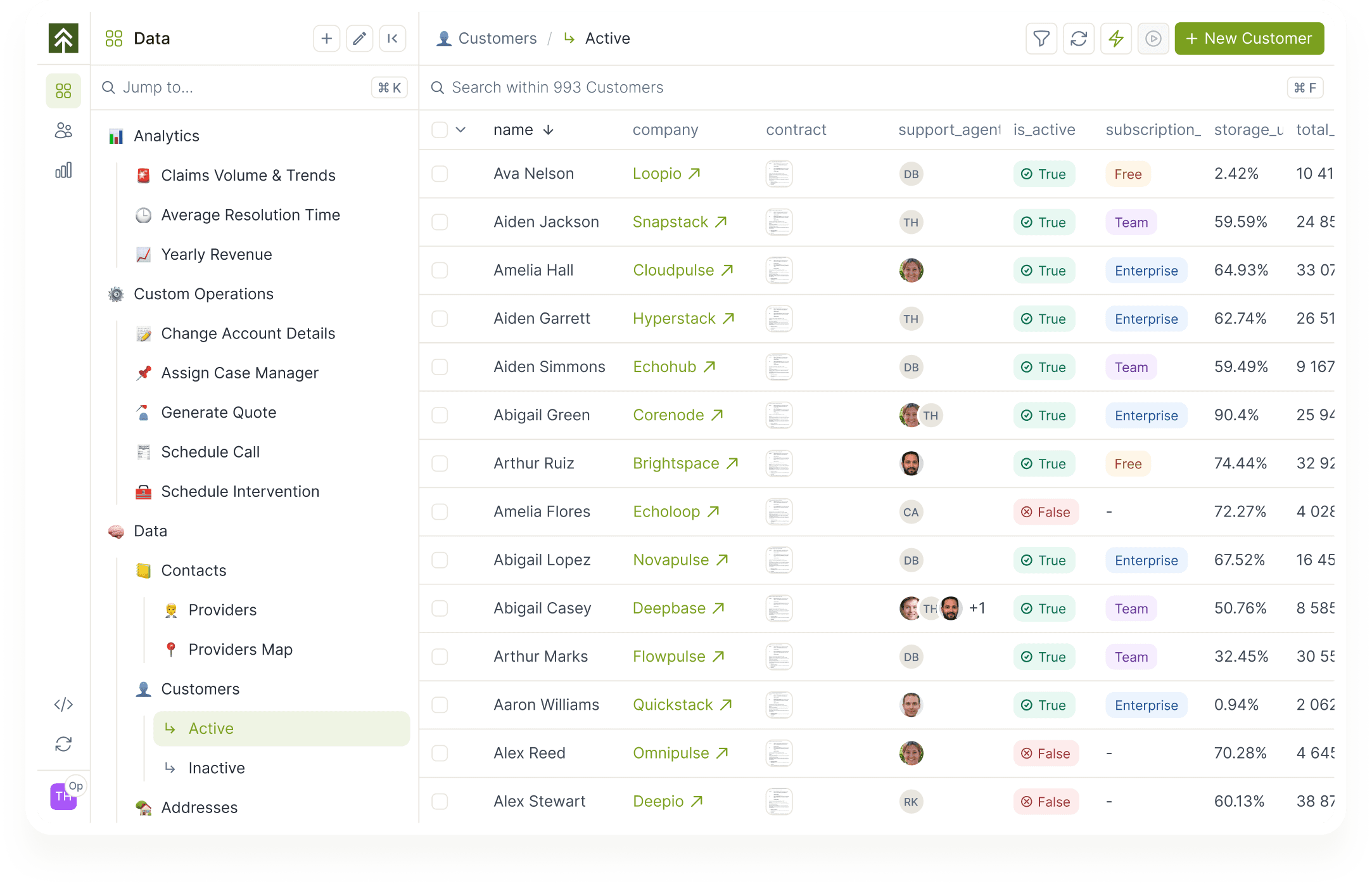
Forest's dashboards run on the same live data your workflows and actions act on. Build them per team, per process, or per customer segment. Filter and group by anything in the data backbone.
TL;DR
Forest dashboards run on the same live data your workflows and actions act on.
Your team builds them per team, process, or customer segment, and drills from any chart into the source records.
Charts map directly to your records, in the same back-office where operators do the work.
Charts that map directly to your records and workflows, in the same interface where operators do the work.
Visual layout editor
Drag, drop, and resize charts to match how each team needs to see the work.
Chart variety
Single values, trends, distributions, leaderboards, percentages, objectives. Configured per chart.
Record-level analytics
Filter, group, and aggregate down to individual records. Drill from a chart into the source records in one click.
Filters and groupings
Slice by team, time window, segment, or any field in the data backbone.
Custom logic supported
Computed fields, custom queries, and HTTP-fed charts when the standard library is not enough.
Team-specific dashboards
Dashboards scoped per team or per workspace, with the right permissions applied automatically.


Built for ops visibility
" height="75px" id="zVbSHlMoa" width="75px"/><path d="M 0 0 L 15 0 L 15 45 L 0 45 Z" fill="rgb(63, 91, 30)" height="45px" id="CH_iVM7qH" width="15px"/><path d="M 60 0 L 60 30 L 0 30 L 0 0 Z" fill="rgb(63, 91, 30)" height="30px" id="ttSD1A5rV" transform="translate(15 45)" width="60px"/></svg>)
Team-specific dashboards
Each team gets its own view of the data backbone, scoped to the records and segments that matter to them.
Custom queries and external charts
Bring custom HTML, JS, and HTTP-fed charts. Embed external BI surfaces alongside Forest dashboards.
Live, not lagging
Charts refresh as records change. Operators drill from the chart to the record in one click.


Frequently asked questions
You still have question ?
Book a conversation with a forest expert
What chart types are supported?
Single value indicators, time-based trends, distributions, objectives, leaderboards, and percentages. Each is configured per chart.
Can we filter dashboards by team or segment?
Yes. Filters and groupings can be applied per chart and per dashboard. Filter values can be drawn from any field in the data backbone.
Can we use custom code or external data sources?
Yes. Custom HTML, CSS, and JavaScript can be applied to charts. Charts can also be fed via an HTTP endpoint when the data needs to come from a computation outside Forest.
How is this different from a BI tool?
Forest dashboards run on live operational data and live in the same backoffice as your workflows. BI tools are better for warehouse-modelled analysis and executive reporting. Use both for different needs.
Can dashboards be scoped per team?
Yes. Dashboards inherit Forest's role and team permissions. Each team can have its own view of the same data backbone.