" width="31.844343999969944px"><path d="M 0 31.84 L 0 0 L 31.84 0 L 31.84 31.84 Z" fill="transparent" height="31.8403px" id="bDMh1GdUQ" transform="translate(0.002 0)" width="31.8403px"/><path d="M 0 0 L 0 31.84 L 14.379 31.84 L 14.379 19.139 L 8.175 25.342 L 5.995 23.162 L 15.922 13.235 L 25.849 23.162 L 23.669 25.342 L 17.466 19.139 L 17.466 31.84 L 31.844 31.84 L 31.844 0 Z M 23.667 16.772 L 15.92 9.025 L 8.173 16.772 L 5.993 14.592 L 15.92 4.664 L 25.847 14.592 Z" fill="rgb(63, 91, 30)" height="31.84030625px" id="LkBC_qYlr" transform="translate(0 0.002)" width="31.844344px"/></g><path d="M 4.708 16.728 L 4.708 2.772 L 0 2.772 L 0 0 L 12.666 0 L 12.666 2.772 L 7.958 2.772 L 7.958 16.728 Z" fill="rgb(38, 45, 30)" height="16.72833px" id="gGM6jCh9B" transform="translate(117.426 7.593)" width="12.666000000000011px"/><path d="M 6.978 17.111 C 5.815 17.111 4.756 16.912 3.8 16.513 C 2.844 16.099 2.031 15.502 1.362 14.721 C 0.709 13.94 0.255 13 0 11.901 L 2.939 11.041 C 3.178 12.076 3.664 12.889 4.397 13.478 C 5.13 14.052 5.99 14.339 6.978 14.339 C 7.743 14.339 8.396 14.163 8.938 13.813 C 9.479 13.462 9.75 12.913 9.75 12.164 C 9.75 11.686 9.583 11.304 9.248 11.017 C 8.93 10.714 8.508 10.467 7.982 10.276 C 7.456 10.085 6.875 9.902 6.237 9.726 C 5.6 9.551 4.963 9.352 4.325 9.129 C 3.688 8.906 3.107 8.619 2.581 8.269 C 2.055 7.902 1.625 7.44 1.29 6.883 C 0.972 6.309 0.813 5.592 0.813 4.732 C 0.813 3.776 1.075 2.947 1.601 2.246 C 2.127 1.529 2.828 0.98 3.704 0.597 C 4.58 0.199 5.544 0 6.596 0 C 7.631 0 8.579 0.175 9.44 0.526 C 10.316 0.876 11.049 1.37 11.638 2.007 C 12.244 2.629 12.658 3.37 12.881 4.23 L 10.013 5.353 C 9.774 4.509 9.352 3.871 8.747 3.441 C 8.141 2.995 7.416 2.772 6.572 2.772 C 5.807 2.772 5.194 2.939 4.732 3.274 C 4.286 3.593 4.063 4.031 4.063 4.588 C 4.063 5.019 4.222 5.369 4.541 5.64 C 4.875 5.895 5.305 6.11 5.831 6.285 C 6.357 6.444 6.938 6.604 7.576 6.763 C 8.213 6.906 8.85 7.098 9.487 7.337 C 10.125 7.56 10.706 7.854 11.232 8.221 C 11.758 8.587 12.18 9.073 12.498 9.679 C 12.833 10.284 13 11.041 13 11.949 C 13 13.048 12.729 13.988 12.188 14.769 C 11.662 15.533 10.945 16.115 10.037 16.513 C 9.129 16.912 8.109 17.111 6.978 17.111 Z" fill="rgb(38, 45, 30)" height="17.11076px" id="W33rhMq3Y" transform="translate(102.662 7.402)" width="13px"/><path d="M 0 16.728 L 0 0 L 11.328 0 L 11.328 2.772 L 3.274 2.772 L 3.274 6.644 L 9.798 6.644 L 9.798 9.416 L 3.274 9.416 L 3.274 13.956 L 11.423 13.956 L 11.423 16.728 Z" fill="rgb(38, 45, 30)" height="16.72833px" id="LASbkhR29" transform="translate(89.162 7.593)" width="11.422699999999992px"/><path d="M 0 16.728 L 0 0 L 6.357 0 C 7.408 0 8.324 0.207 9.105 0.621 C 9.902 1.02 10.523 1.593 10.969 2.342 C 11.415 3.075 11.638 3.935 11.638 4.923 C 11.638 5.879 11.383 6.755 10.873 7.552 C 10.379 8.332 9.694 8.93 8.818 9.344 L 12.833 16.728 L 9.153 16.728 L 5.664 9.87 L 3.25 9.87 L 3.25 16.728 Z M 3.25 7.098 L 5.783 7.098 C 6.58 7.098 7.209 6.898 7.671 6.5 C 8.149 6.086 8.388 5.56 8.388 4.923 C 8.388 4.27 8.149 3.752 7.671 3.37 C 7.209 2.971 6.58 2.772 5.783 2.772 L 3.25 2.772 Z" fill="rgb(38, 45, 30)" height="16.72833px" id="DsldZOwJ8" transform="translate(73.861 7.593)" width="12.832999999999998px"/><path d="M 7.289 17.111 C 5.839 17.111 4.565 16.76 3.465 16.059 C 2.382 15.342 1.529 14.347 0.908 13.072 C 0.303 11.782 0 10.276 0 8.555 C 0 6.835 0.303 5.337 0.908 4.063 C 1.529 2.772 2.382 1.776 3.465 1.075 C 4.565 0.358 5.839 0 7.289 0 C 8.739 0 10.005 0.358 11.088 1.075 C 12.188 1.776 13.04 2.772 13.646 4.063 C 14.267 5.337 14.578 6.835 14.578 8.555 C 14.578 10.276 14.267 11.782 13.646 13.072 C 13.04 14.347 12.188 15.342 11.088 16.059 C 10.005 16.76 8.739 17.111 7.289 17.111 Z M 7.289 14.339 C 8.101 14.339 8.802 14.1 9.392 13.622 C 9.997 13.128 10.467 12.451 10.802 11.59 C 11.136 10.714 11.304 9.702 11.304 8.555 C 11.304 7.392 11.136 6.381 10.802 5.52 C 10.467 4.66 9.997 3.991 9.392 3.513 C 8.802 3.019 8.101 2.772 7.289 2.772 C 6.492 2.772 5.783 3.019 5.162 3.513 C 4.556 3.991 4.086 4.66 3.752 5.52 C 3.417 6.381 3.25 7.392 3.25 8.555 C 3.25 9.702 3.417 10.714 3.752 11.59 C 4.086 12.451 4.556 13.128 5.162 13.622 C 5.783 14.1 6.492 14.339 7.289 14.339 Z" fill="rgb(38, 45, 30)" height="17.11076px" id="ipX7BNsrY" transform="translate(56.609 7.402)" width="14.577600000000004px"/><path d="M 0 16.728 L 0 0 L 11.351 0 L 11.351 2.772 L 3.25 2.772 L 3.25 6.644 L 9.798 6.644 L 9.798 9.416 L 3.25 9.416 L 3.25 16.728 Z" fill="rgb(38, 45, 30)" height="16.72833px" id="T3zzexfqV" transform="translate(43.557 7.593)" width="11.351399999999998px"/></svg>)
Data integration
Connect SQL, NoSQL, APIs, and SaaS tools to Forest's data backbone. Reads are live, writes go back to the source, and your schema stays understood as it evolves.
TL;DR
Forest connects any data source, SQL, NoSQL, APIs, and SaaS tools, into one live data backbone.
Your team, your workflows, and your AI agents read and write the same records, live, against the source.
Reads are live and writes go back to the source, so nothing runs against a stale copy.
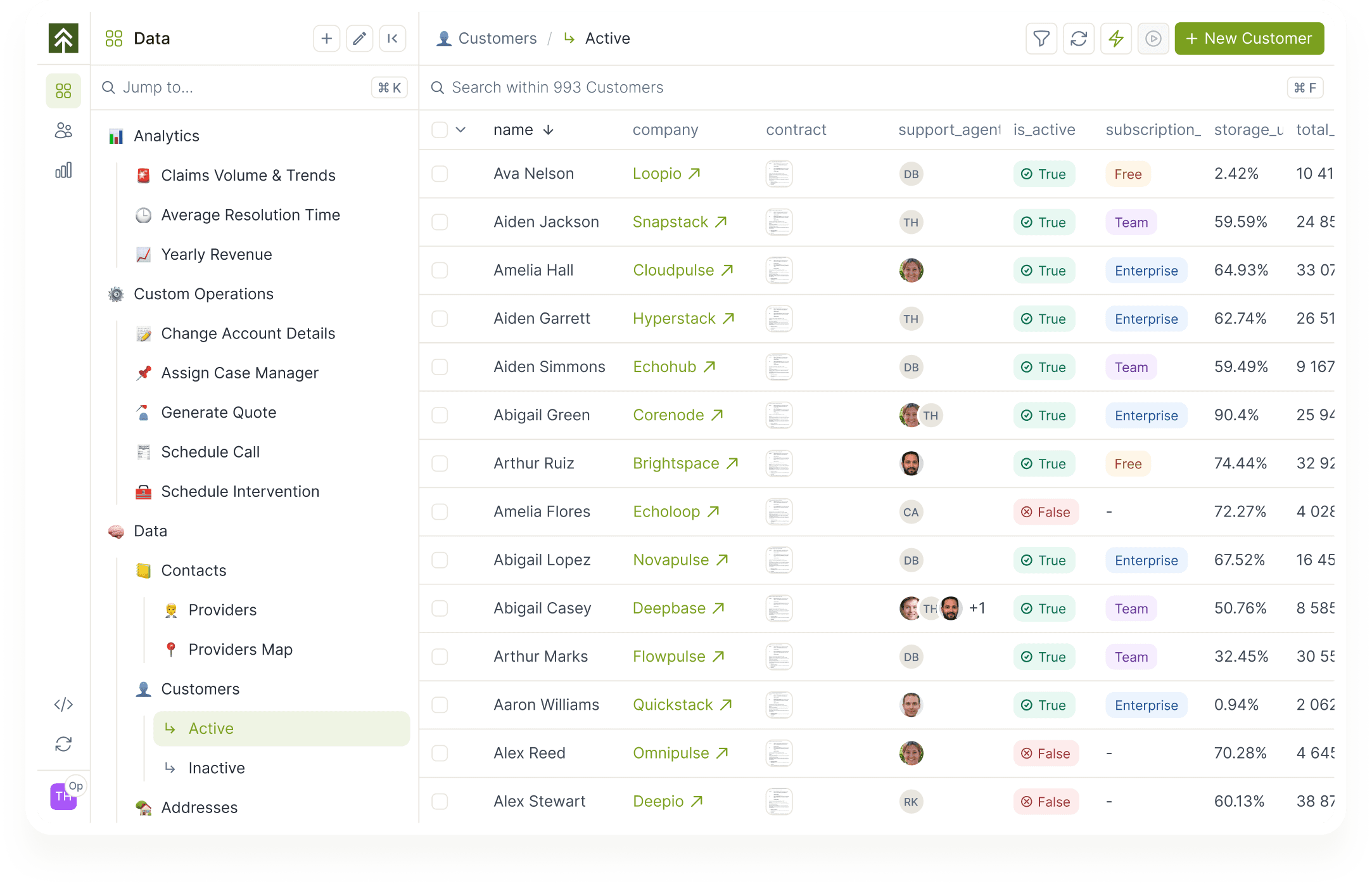
Forest queries your sources directly and exposes them as one data backbone. Humans, workflows, and agents act on the same data.
Connect any source
SQL, NoSQL, APIs, SaaS tools. If it stores data, Forest connects to it. Same applies to MCP-exposed data.
Unified access across systems
Customer records, payments, tickets, and accounts read through one graph. Cross-source relations supported.
Full CRUD
Create, read, update, delete, with built-in search and pagination. Operations run against your source, not a cache.
Live updates as data changes
Forest reflects the current state of your sources, not a periodically refreshed copy.
Granular permissions per source
Scope what each user, team, or agent can read or write, down to the field.
Connector Library
Browse and install official MCP connectors for Slack, Stripe, HubSpot, and more. Editors request from the workflow editor; admins install in one click.


Built for scale
" height="75px" id="WdH8umvjb" width="75px"/><path d="M 0 0 L 15 0 L 15 45 L 0 45 Z" fill="rgb(63, 91, 30)" height="45px" id="ueDWZyWDd" width="15px"/><path d="M 60 0 L 60 30 L 0 30 L 0 0 Z" fill="rgb(63, 91, 30)" height="30px" id="GyDmr68XZ" transform="translate(15 45)" width="60px"/></svg>)
Multiple environments
Dev, staging, and production each connect to their own sources. Your team tests safely before changes hit production.
Low-latency, your perimeter
Forest reads and writes directly inside your network. No middleman, no round trip through Forest's cloud.
Add sources as you go
New databases, APIs, or SaaS apps plug in as configuration. Your data backbone grows with your stack.


Connector Library







Frequently asked questions
You still have question ?
Book a conversation with a forest expert
What types of data sources can Forest connect to?
SQL databases (PostgreSQL, MySQL, MariaDB, SQL Server, Oracle), NoSQL (MongoDB, DynamoDB), warehouses (Snowflake, BigQuery, Redshift), REST and GraphQL APIs, and SaaS APIs via connectors.
Does Forest store or copy our data?
No. Forest queries your sources live and writes back directly. Your data stays in your systems.
Can we perform CRUD across all sources?
Yes. Create, read, update, and delete are supported on every connected source that exposes write access.
How does Forest handle multiple environments?
Each environment (dev, staging, production) connects to its own set of sources via the Forest Agent config. The same workflows can run against different data.
What if a source isn't supported out of the box?
The Forest SDK lets you build a custom connector in your language of choice. Custom connectors run inside your Forest Agent like any other source.
What is the Connector Library?
The Connector Library is a curated list of official MCP implementations from SaaS vendors. Editors can browse and request connectors directly from the workflow editor. Admins get pre-filled configurations in Project Settings and can activate any connector in one click. Available at launch: Intercom, Slack, Microsoft 365, Amplitude, HubSpot, Notion, Monday.com, Square, Stripe, Razorpay, n8n, Zapier, Workato. The list grows as new official MCP servers are released.